Types of accounts
-
Non-Integrated
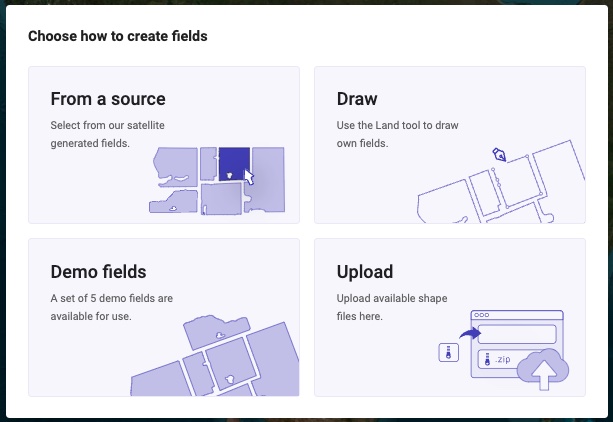
User accounts created that are not integrated have options for getting boundaries into the system. We have demo fields that we can pre-populate your account with for testing. Users have the ability to upload their own boundaries in Shapefile format. We have a 3rd party source that allows users to select boundaries from an online database.
-
Demo Fields
We will populate a set of Demo fields in your region to allow you to evaluate the tools -
Upload Fields
We allow you as a user to upload your boundaries in Shapefile format. -
This is a link to the process to upload your own boundaries. Batch Uploading Shapefile Boundaries
-
Select Fields from 3rd party source
We have given the user the ability to access a 3rd party tool to select boundaries to be added to their account. Not all regions include all fields. This is a 3rd party service that we do not have control over what boundaries are available. -
Draw
We allow the users to manually draw boundaries in our Land tool -
Integrated with My John Deere
User accounts created that are integrated with My John Deere will automatically sync the Grower Farm and Field hierarchy that is available in Operations Center.
-
Integrated with Trimble
User accounts created that are integrated with TrimbleAg.com will automatically sync the Grower Farm and Field hierarchy that is available in Trimble.

-
Integrated with CNH
User accounts created that are integrated with CNH FieldOps will automatically sync the Grower Farm and Field hierarchy that is available in FieldOps.