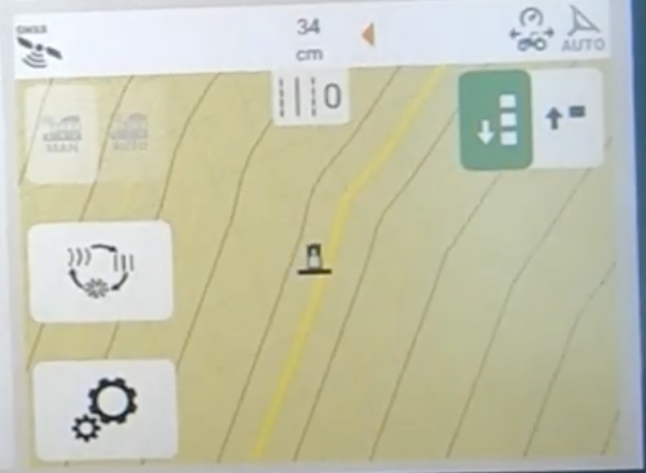
The procedure below shows how to load a setup file directly into a FendtONE monitor from the FendtONE export in Launch Pad.
-
Create and export the Path Plans from Launch Pad
-
Copy the extracted folder (Un Zipped) to the root directory of a USB to transfer to the monitor (TaskData Folder)
-
With the system powered up insert the USB
-
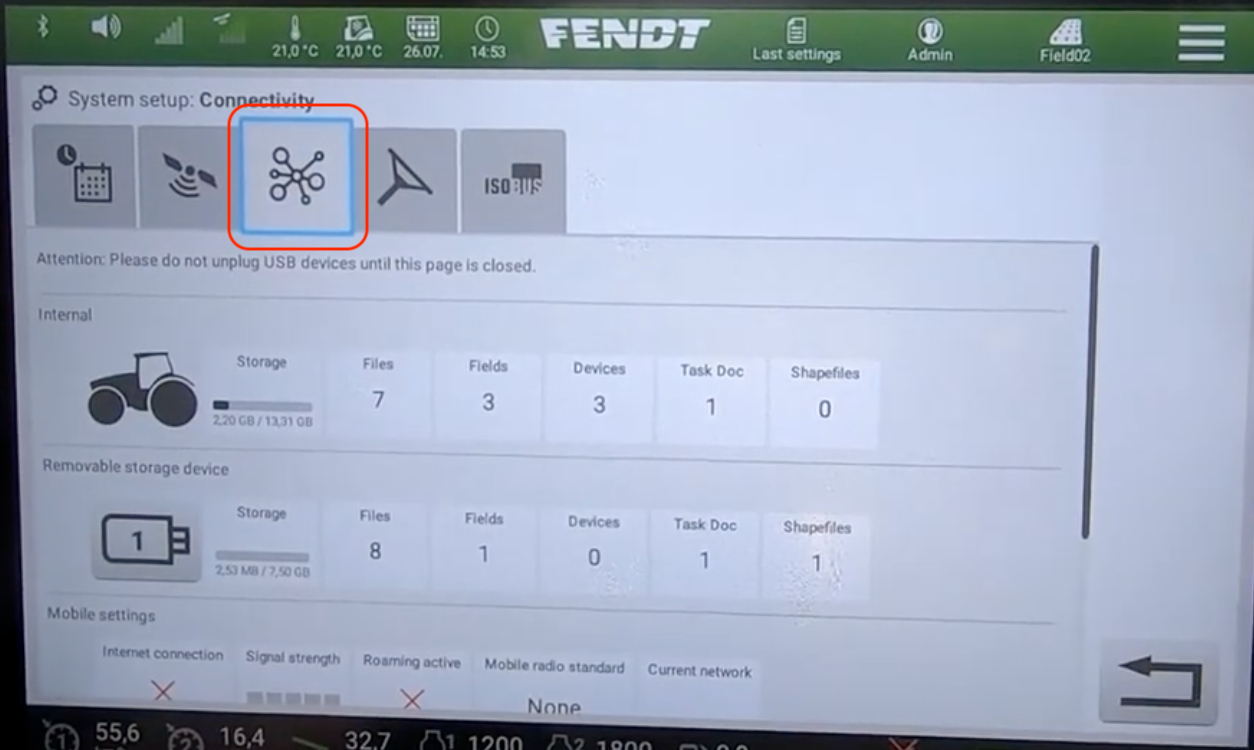
Connectivity page
-
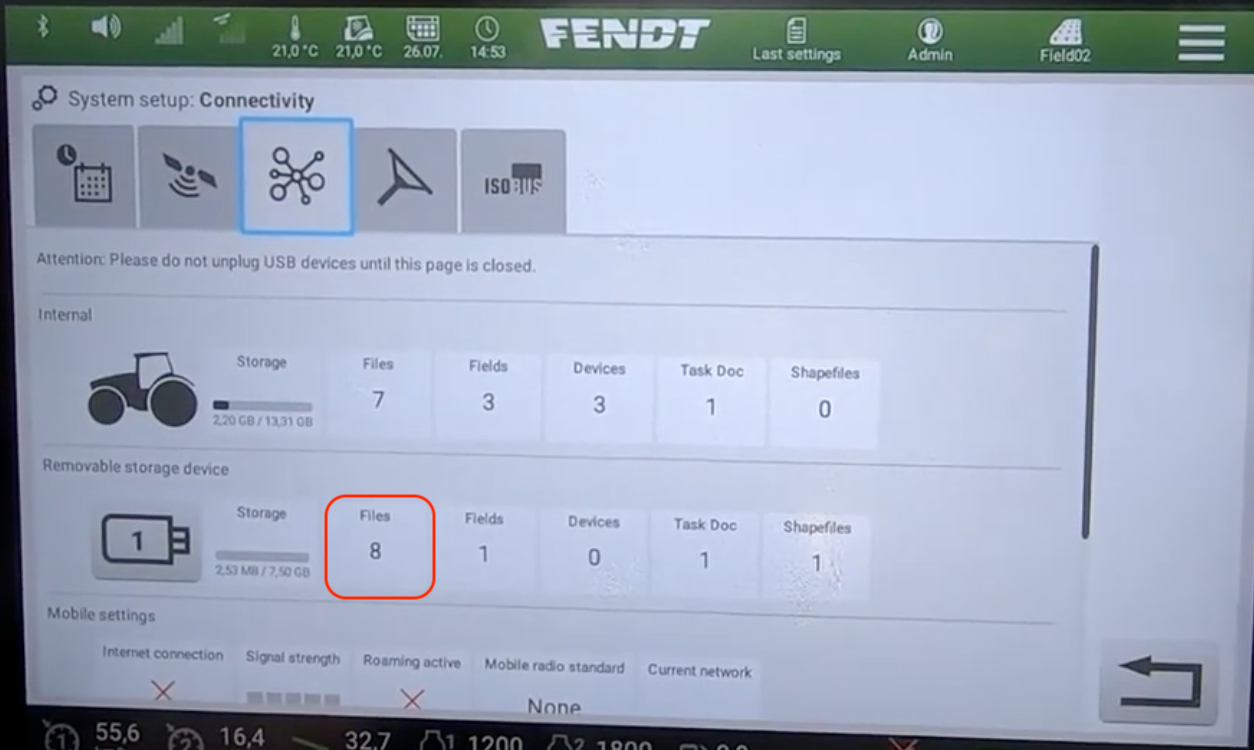
Select Files in the Removable storage section
-
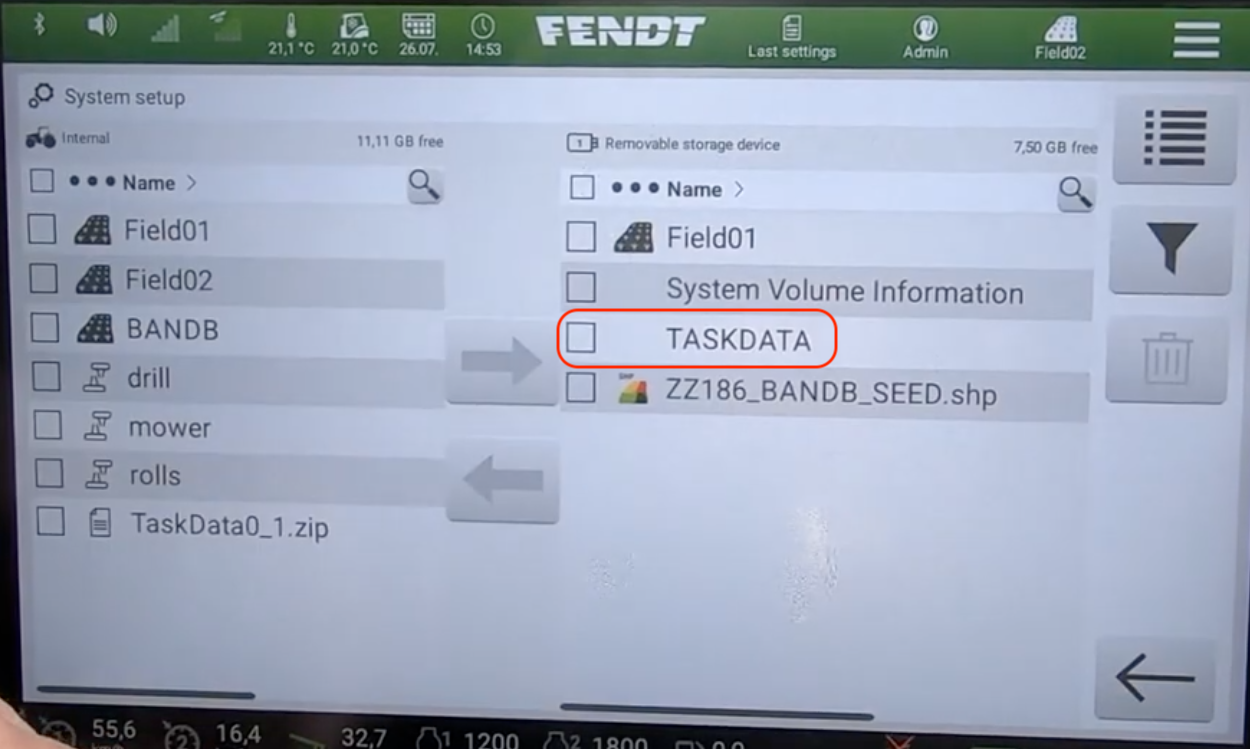
select the Taskdata folder
-
Click the arrow to transfer the Taskdata to the monitor storage
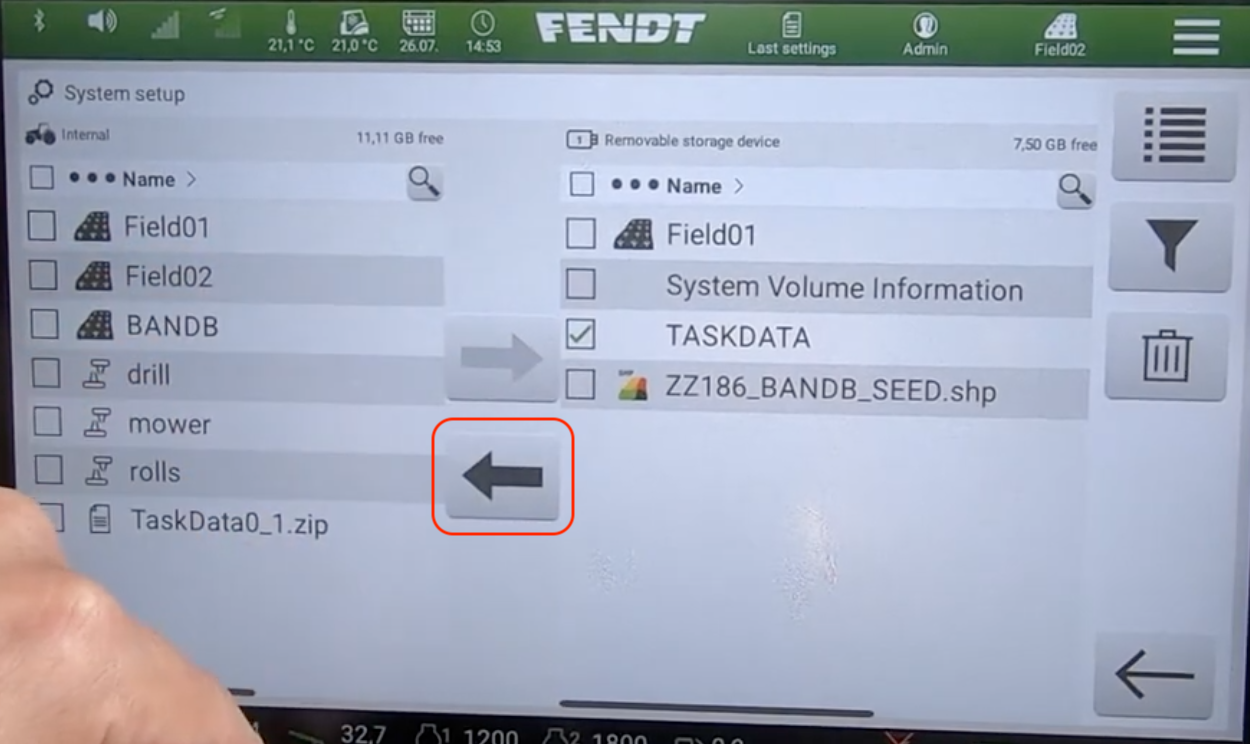
Selecting the imported data
-
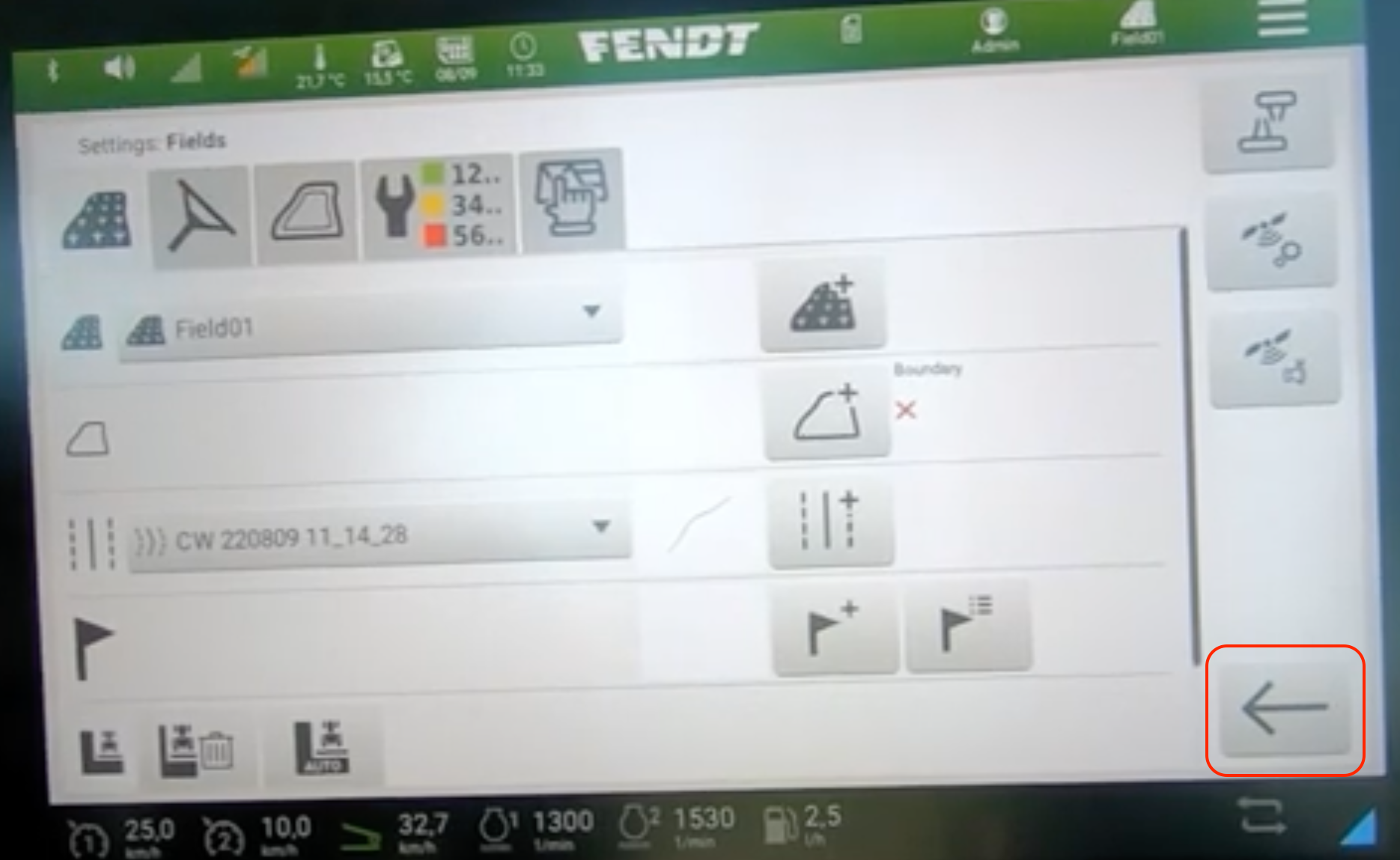
Once the Taskdata folder has been loaded, On the Guidance screen select the settings button
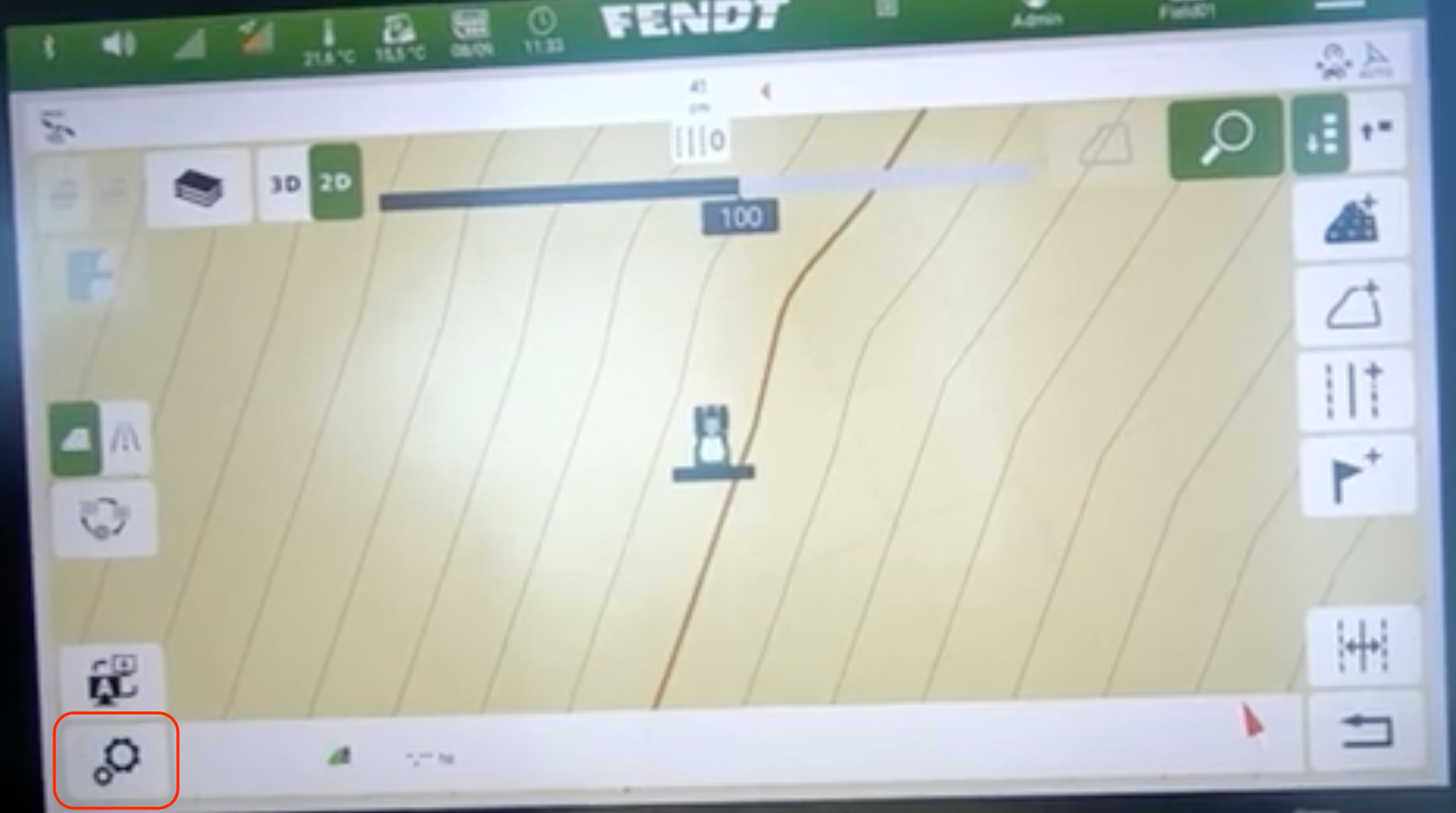
-
Select the field
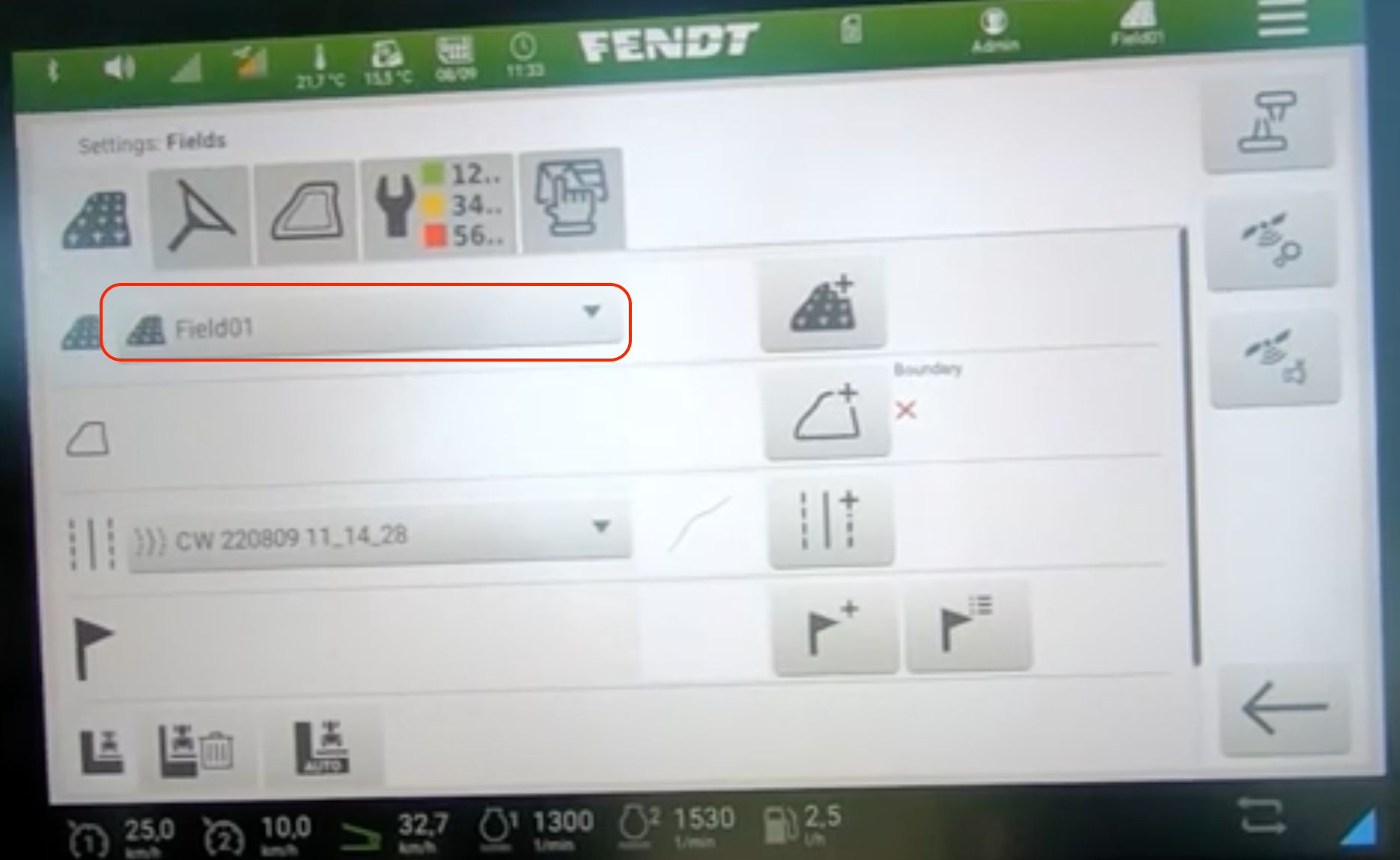
-
The guidance options will be listed in the wayline dropdown, Select the desired line
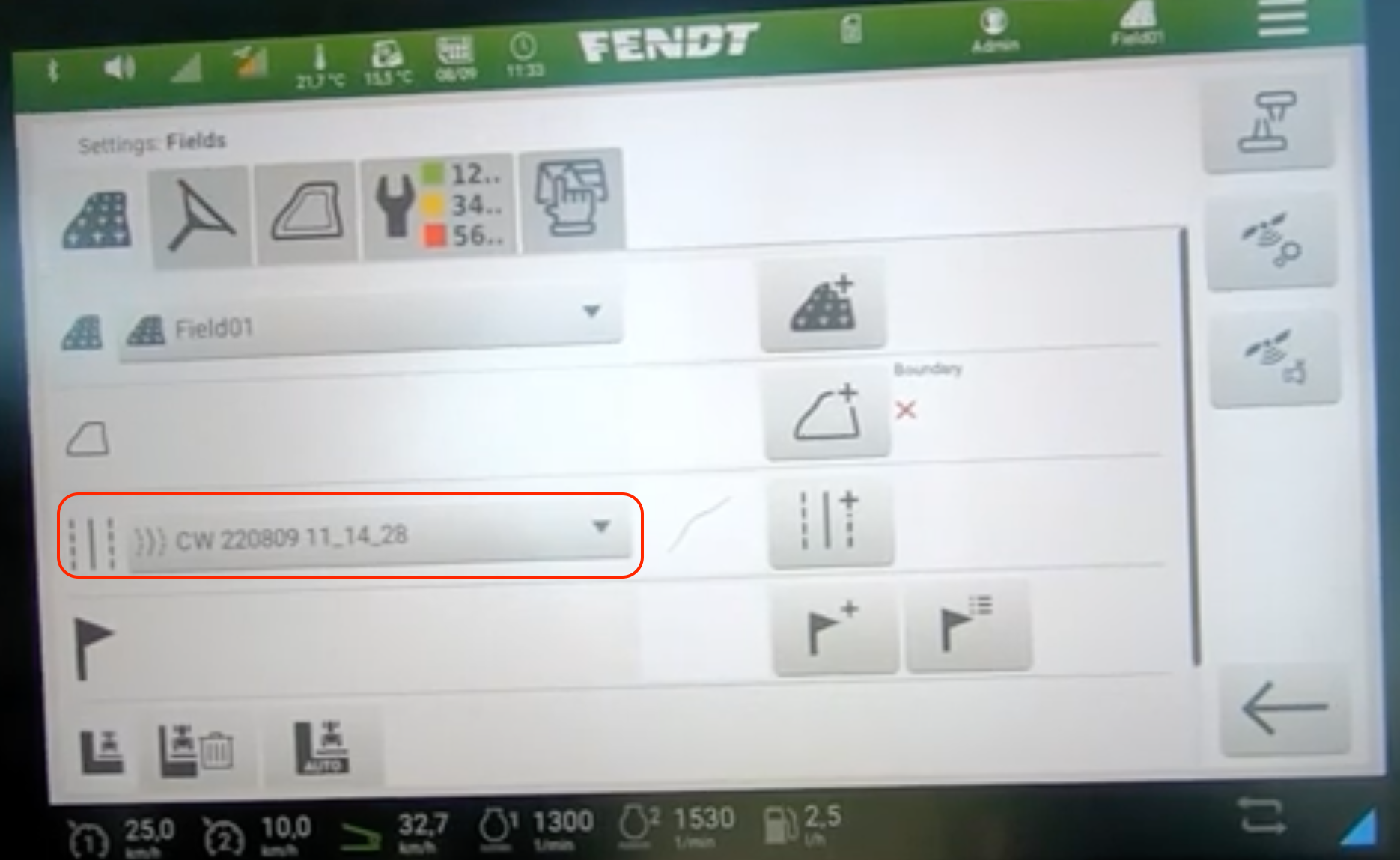
-
Click the back button to exit the settings menu
-
The selected wayline will display on the guidance map