With the new Partial Reference Line Selection feature, users can now select and utilize only specific portions of a reference line by using Smart Line Anchors. This enhancement addresses prior feedback where automatically generated curves were not always ideal for field conditions. By introducing adjustable Smart Line Anchors on the reference line selector—similar to those used for curved track boundary edges—users gain precise control over the segments they wish to include. This allows for improved contour customization and helps you generate more accurate and desirable curves.. Simply create or edit a plan, select your desired reference line generated from the elevation model, adjust the anchors to focus on the relevant section, confirm your smoothing preferences, and generate the updated track.
What's New:
• Partial Reference Line Selection - Choose only the segment you want to use for contour generation.
• Anchor-Based Interface - Drag anchors directly on the reference line to fine-tune your selection.
• Improved Curve Accuracy - Generate paths that better match your operational needs and terrain.
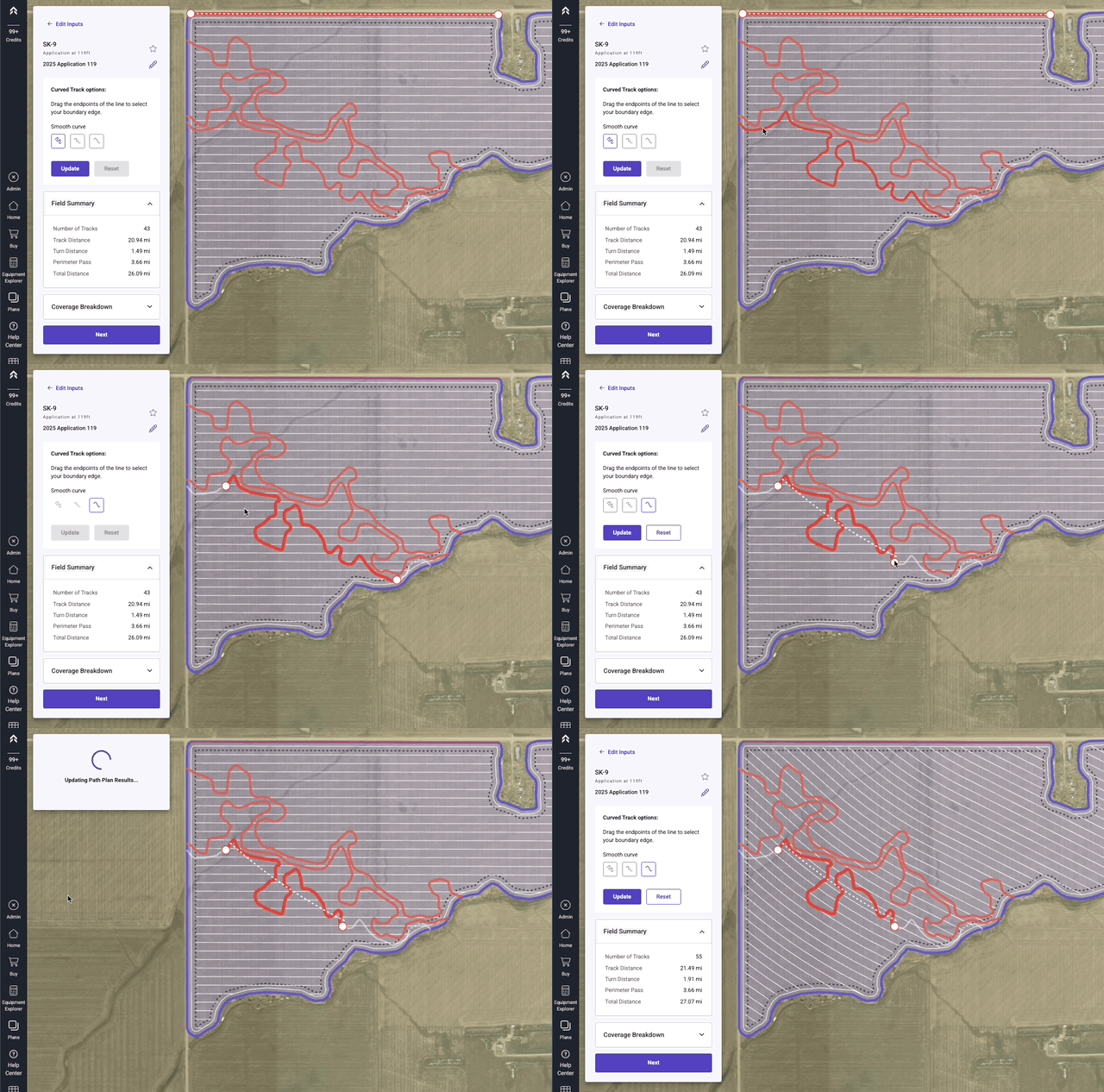
To Select only a portion of a reference line:
-
While creating a Curve Track Path Plan or Editing a Curve Track Path Plan select one of the Reverence lines derived from the Elevation Layer
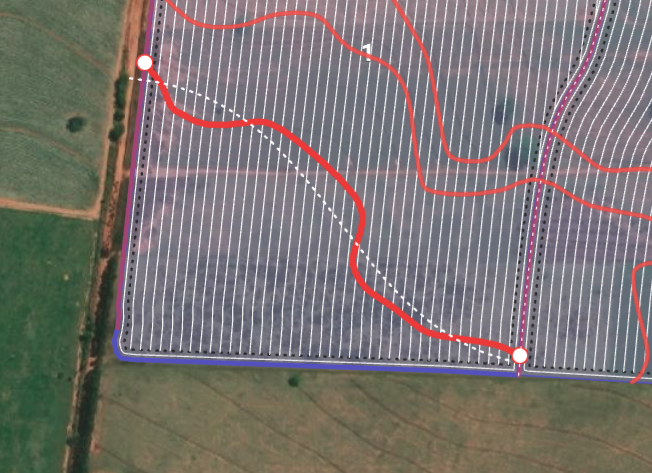
-
At each end of the reference line there are Smart Anchors that can be moved
-
As you move the anchor you will see the dotted white line update, This represents the contour line that will be created for the selected portion of the reference line
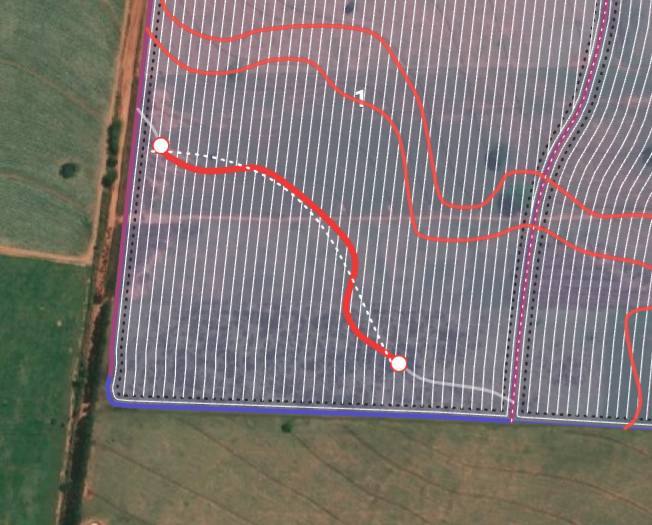
-
Once the anchors have been moved, Click Update button and the guidance will updated to the selected partial reference line
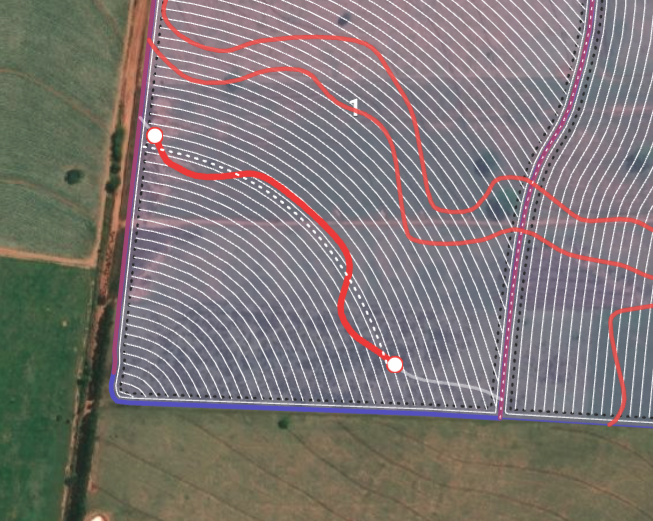
-
The plan has now been updated to the new reference line for guidance.