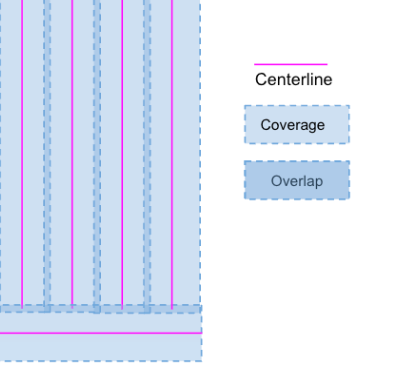
Section Control and Planned Overlap
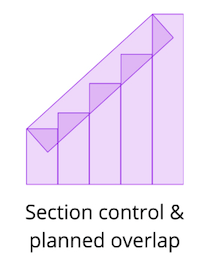

In Launch Pad, coverage can be displayed in Path Planner and used when running scenarios in Equipment Explorer. In Equipment Explorer, you can configure up to three pieces of equipment to compare overlap differences using Section Control and/or Pass-to-Pass accuracy, providing a more realistic estimate of expected overlap in your fields.
To Display Overlap on a Path Plan
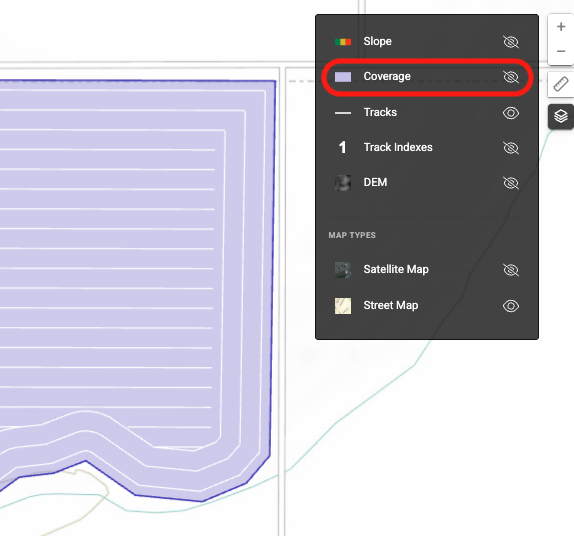
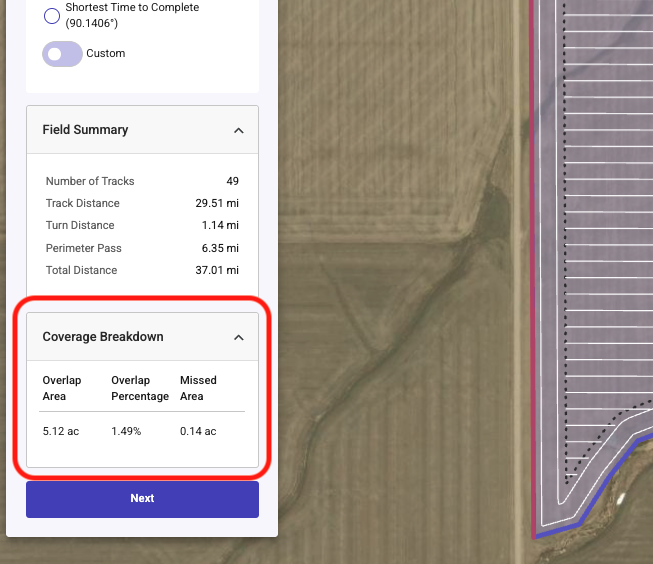
To enable coverage to be displayed on a Path Plan simply click on Coverage under the Layer button in the upper right of the map
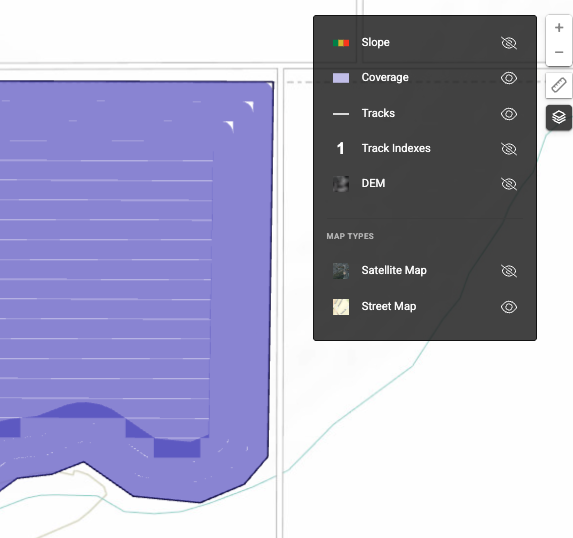
Coverage Breakdown is displayed on the left side of the map both during Path Plan creation and if viewing a saved plan from the Plans page
To Enable and use Section Control and Pass to Pass overlap in Equipment Explorer
-
Advanced Scenario - Section Control
When a user selects the "Number of Sections" parameter for an Equipment Explorer scenario this will add the ability to enter the number of sections that are controlled on each piece of equipment. The number of sections will be evenly split based off of the Swath Width entered. Entering this information will allow the calculation for overlap to accurately represent where the product is being seeded/applied/harvested.
Link to Walkthrough: Advanced Scenario - Section Control
.
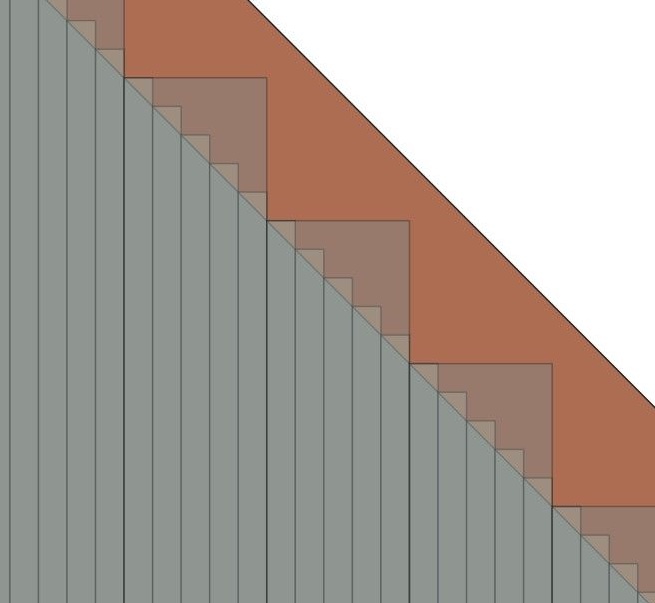
Comparison example: No section control compared to a piece of equipment with 5 sections that are independently turned on and off.
-
Advanced Scenario - Pass to Pass - GPS Precision
When a user selects the GPS Precision parameter for an Equipment Explorer scenario this will automatically reduce the guidance width by the value entered and calculate the pass to pass overlap generated by this. This allows a user to compare two different GPS correction sources and their level of Precision.
Link to Walkthrough: Advanced Scenario - GPS Precision - Pass to Pass Accuracy