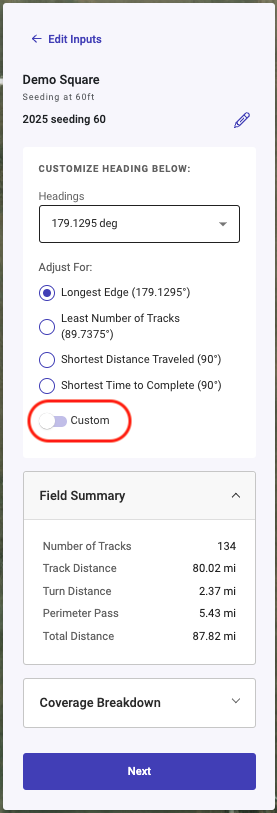
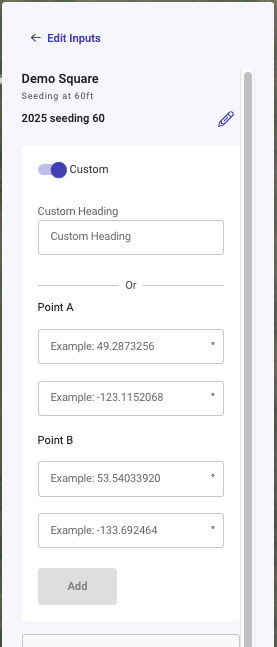
Custom Heading allows users to enter a heading up to 4 decimal precision. This allows the user to request a specific heading to fine tune the alignment of the guidance line. The user can also manually enter the Latitude and Longitude for the A and B points of the guidance line. This allows the use to use a guidance line from other softwares.
To Enable Custom Heading on a Single Path Plan:
-
Select a field and generate a Path Plan
-
Once the Plan is in the Review stage you can toggle on Custom Heading
-
Custom Heading can either be entered as Degree Decimal with precession up to 4 decimal places or a user can enter the Latitude and Longitude of the A and B points.
-
Click the Add Button
-
This will both add the custom heading to the dropdown as a selectable heading and change the selected heading to that entered
-
Click Save
-
This will save the Path Plan with the Custom Heading