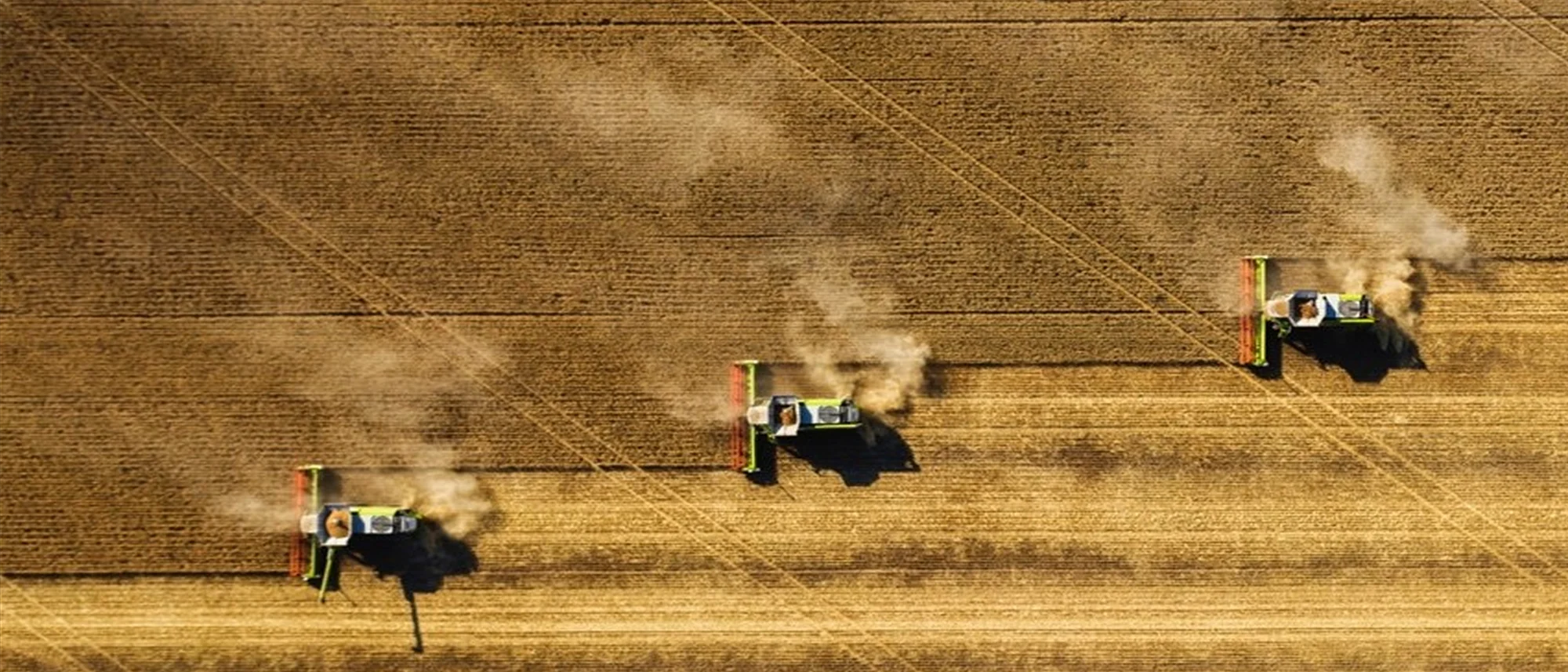
Common Run Line Planning in Launch Pad
Plan an entire field from a single AB line.
Common run line planning is now in Launch Pad. One AB line, locked in. Every operation across the season planned from it. The way Controlled Traffic Farming growers have been asking us to build it.
New in Launch Pad: Common Run Line Planning
John Deere, PTx Trimble, and Case IH / New Holland growers can now pull their existing AB lines straight into Launch Pad through our built-in integrations. Sign in with the credentials you already use, and your field boundaries and AB lines sync across automatically. No exporting, no USB shuffle, no redrawing lines.
From there, Launch Pad takes the AB line you trust and generates the rest of the plan around it. Interior tracks, headlands, turns, and the full route are all built from that single reference. The next operation in the season starts from the same line, at its own working width, with no rework.
For growers running Controlled Traffic Farming, this is the workflow we have been asked for. Here is the bigger picture, and the caveats worth knowing.
What is a Common Run Line?
In Australia, the common run line (also called the master run line or master AB line) is the foundation of Controlled Traffic Farming (CTF). A single guidance line is established in the paddock, and every operation that follows (seeding, spraying, harvest, deep ripping) is referenced back to it. By matching equipment widths and track spacing to that line, machinery traffic is confined to permanent wheel tracks, protecting the rest of the paddock from compaction.
The key idea most growers outside Australia miss is that it is not one line per paddock. It is one or two lines for the entire farm. A typical CTF operation runs a North-South line, an East-West line, and sometimes a third on an angle for paddocks the cardinal directions do not suit. Every paddock on the farm inherits one of those headings.
The choice of heading is rarely arbitrary. Growers align to something fixed and visible so the system stays coherent across the whole operation:
- Highways and main roads running past the property
- Airstrips on or near the farm
- Major field features such as fence lines, drainage lines, or the longest straight boundary edge
- Aesthetic alignment for how the farm reads from the air, in drone footage, or in satellite imagery
The result is a farm where every paddock points the same way. Operations chain together cleanly between paddocks, paddock-to-paddock transitions follow predictable geometry, and the whole property reads as one coordinated system. That last point matters more than people admit. A farm that looks sharp from the air usually is sharp on the ground.
The method is most common across Australian grain growing regions (see how Strathaven Farms planned CTF across 133 paddocks with Launch Pad), but the principle shows up wherever growers care about soil health, repeatability, and operational consistency: CTF in the UK, tramline systems in Europe, and standardised AB lines across North American row crop operations.
The challenge has always been the same. The line is easy to establish. Extending it across an entire farm, across multiple operations, and across multiple machinery widths without overlap or missed area is the hard part.
Plan From an AB Line
The new Plan From a Reference Line feature in Launch Pad takes a single guidance line as the starting point and generates the full Path Plan from there. The line you provide becomes the master run line. Launch Pad fills in everything around it: parallel interior tracks at your operating width, headland passes, turn sequences, and a complete drivable route.
You can supply that reference line three ways:
- Import an existing AB line from your guidance system (John Deere, PTx Trimble, Case IH and New Holland via built-in integrations)
- Pick a boundary edge and use it as the heading (longest straight edge, or any edge you choose)
- Draw a line directly on the boundary in Launch Pad
Once the line is set, the rest of the plan flows from it. No re-entering headings. No rebuilding the plan for the next operation. The next sprayer, seeder or harvester pass starts from the same line, at its own working width, and Launch Pad handles the rest.
How Common Run Line Planning Works in Launch Pad
Three steps, one paddock, every operation aligned.
Choose Your Reference Line
Import an existing AB line from your guidance system, pick the longest straight boundary edge, or draw your own line on the field. This is the line every future operation will align to.
Generate the Plan
Launch Pad takes the reference line and builds the rest of the plan around it. Interior tracks are laid out parallel to the line at your operating width. Headlands, turns, and the full route are generated automatically.
Reuse Across Operations
Use the same reference line to generate plans for every other operation on the paddock. Sprayer, seeder, harvester, deep ripper. Each gets its own optimised plan locked to the common run line, with shared tramlines wherever widths match.
One Honest Caveat: AB Line Drift Over Distance
A single AB line is only as accurate as the distance you project it. Small angular errors compound with distance, and a line that is true at the origin can drift meters off after several kilometres of parallel propagation. Even with RTK, growers planning very large blocks or chaining across paddocks should think carefully about where the reference line sits relative to the area it serves.
Launch Pad does not change the underlying GNSS reality. What it does change is that you can see the projection across the full extent of the field before you commit, place the reference line where it minimises drift, or split a very large area onto a second aligned reference where it makes sense.
Why Common Run Line Planning Matters for CTF
CTF only works when the lines actually line up. A run line that is two degrees off, or a sprayer pass that starts in the wrong spot, breaks the system. Tramlines drift. Wheels run outside the permanent tracks. The compaction discipline you have spent years building starts to erode.
Planning from a reference line removes the guesswork. The master run line is the source of truth, and every plan is built from it.
What This Unlocks
- Consistent CTF execution: Every operation references the same master run line, every season.
- Fewer manual steps: Set the reference line once, then plan every operation from it.
- Shared tramlines across widths: Maximise the number of overlapping tracks across seeder, sprayer and harvester widths.
- Easy integration of new paddocks: Drop new paddocks into your CTF system without redesigning headings from scratch.
- Offset planning for deep ripping: Rotate from the master line at a fixed angle (e.g. 15 degrees) while keeping the original reference intact.
Beyond CTF: Common Run Lines for Any Standardised Operation
Common run line planning is a CTF concept first, but the workflow applies anywhere a grower wants to standardise field operations. If you have an AB line you trust, Launch Pad will now build the rest of the plan around it. That is true for broadacre, row crop, irrigated fields, and any operation where season-over-season consistency matters.
For growers moving toward supervised autonomy, the run line also becomes the contract between the planner and the machine. A consistent reference line means a consistent plan. A consistent plan means an autonomous system that behaves the same way every time it enters the paddock.
Common Run Line Planning: FAQ
What is a common run line?
A common run line (or master AB line) is a single guidance line that every operation in a Controlled Traffic Farming system references. Instead of every paddock having its own headings, the entire farm runs from one or two AB lines, so seeder, sprayer, and harvester traffic stays on permanent wheel tracks.
What is the difference between an AB line and a reference line?
The terms are largely interchangeable. AB line is the field name (the line between point A and point B that the guidance system tracks). Reference line is the planning name (the line a path planner uses as the basis for everything else). In Launch Pad, an imported AB line becomes the reference line for the plan.
Can I import my AB lines from John Deere, PTx Trimble, or Case IH?
Yes. Launch Pad has built-in integrations with John Deere, PTx Trimble, and Case IH / New Holland. Sign in with your existing credentials and your boundaries and AB lines sync across automatically.
How many AB lines does a typical CTF farm use?
Most CTF operations use one or two AB lines for the entire farm: usually a North-South line, an East-West line, and sometimes a third on an angle for paddocks that the cardinal directions do not suit. Every paddock on the farm inherits one of those headings.
Does Launch Pad work with existing CTF systems?
Yes. Launch Pad is built to extend the CTF system you already have, not replace it. Import your master AB line, set your equipment widths, and Launch Pad generates plans that lock to the same tramlines you have been running.
Try Common Run Line Planning
Open a paddock in Launch Pad, drop in your reference line, and plan the season from one source of truth.
Get Started in Launch Pad