Launch Pad users have the ability to input their own AB line coordinates while creating Path Plans. The goal is to align with their current practices in the field.
The inputs for AB lines can be found under the custom heading toggle menu.
Step By Step
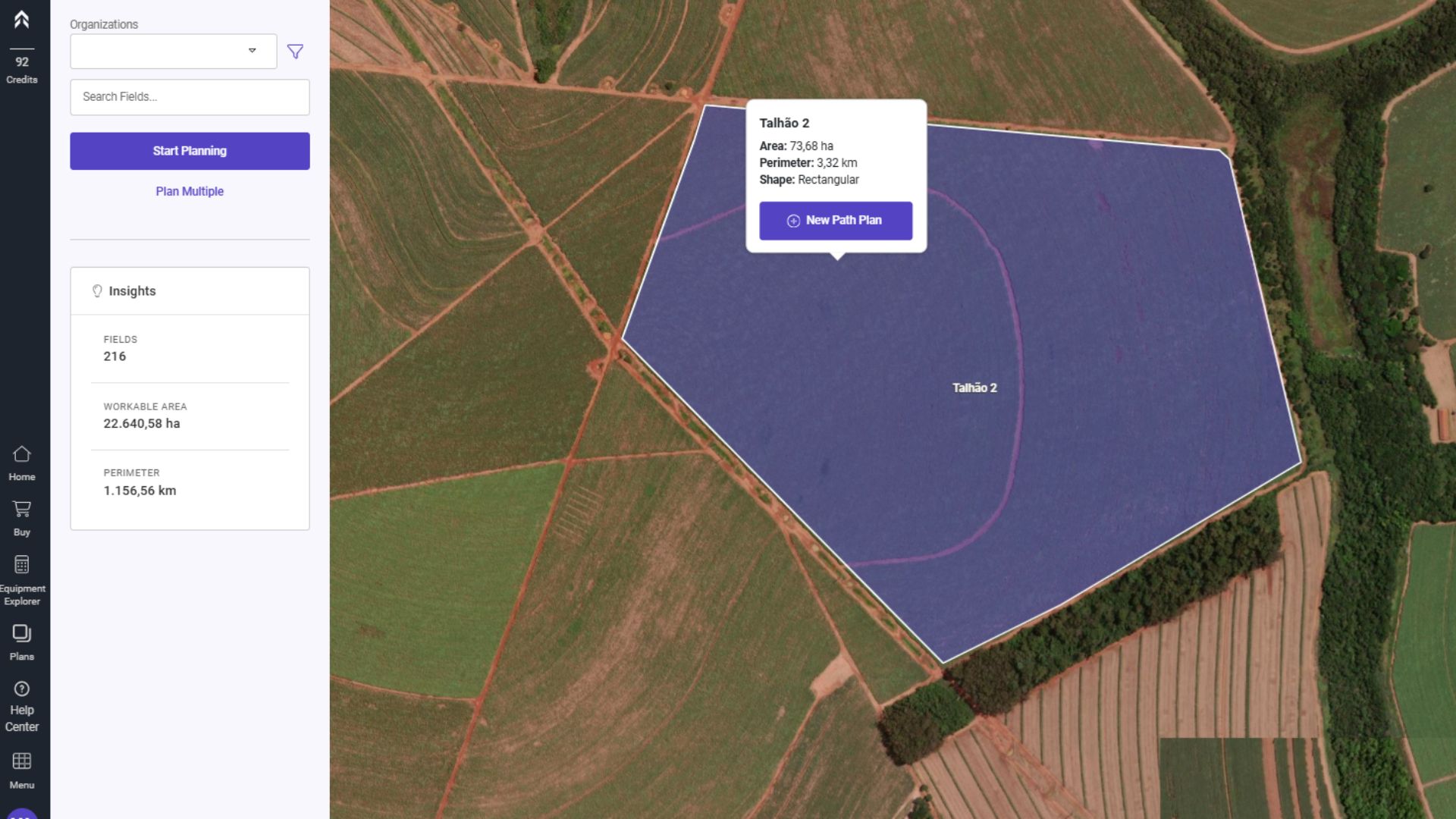
1- Select the field where you want to create the Path Plan and click on the "New Path Plan" button.
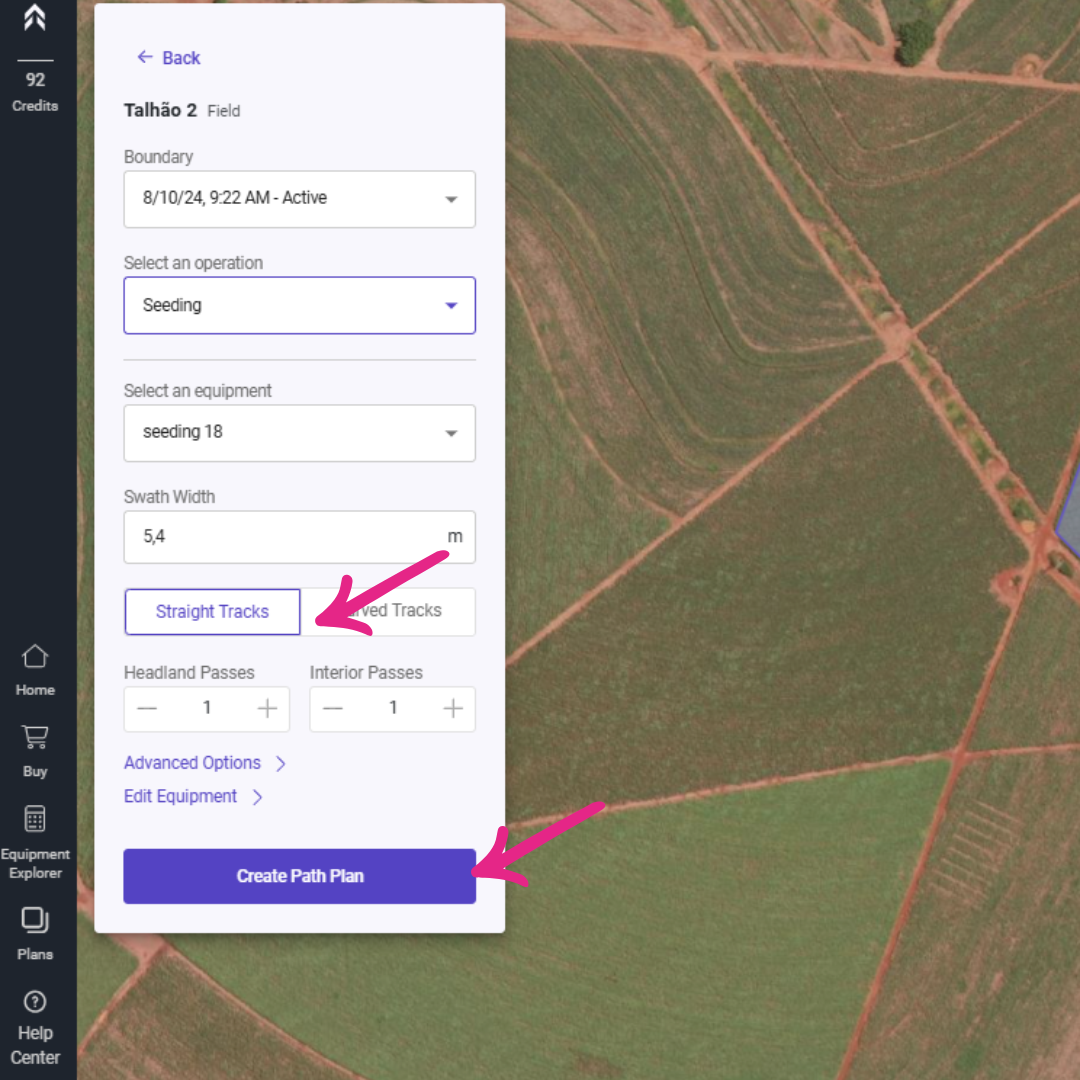
2- Select the "Straight Tracks" option and click on Create Path Plan.
Note: Entering AB line coordinates is only supported for straight tracks.
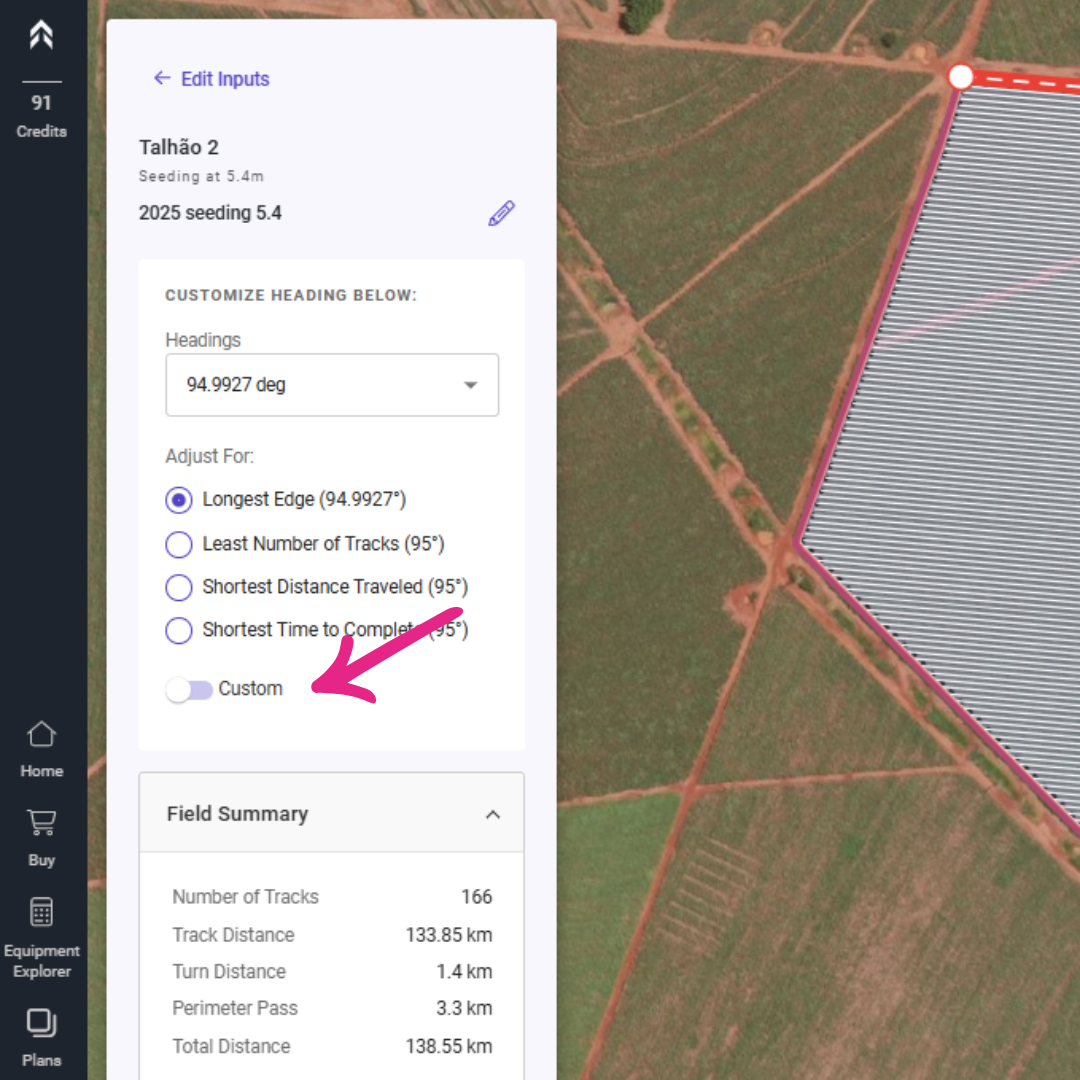
3- In the following screen, enable the "Custom" option.
4- Enter the latitude and longitude of point A and point B in decimal degrees.
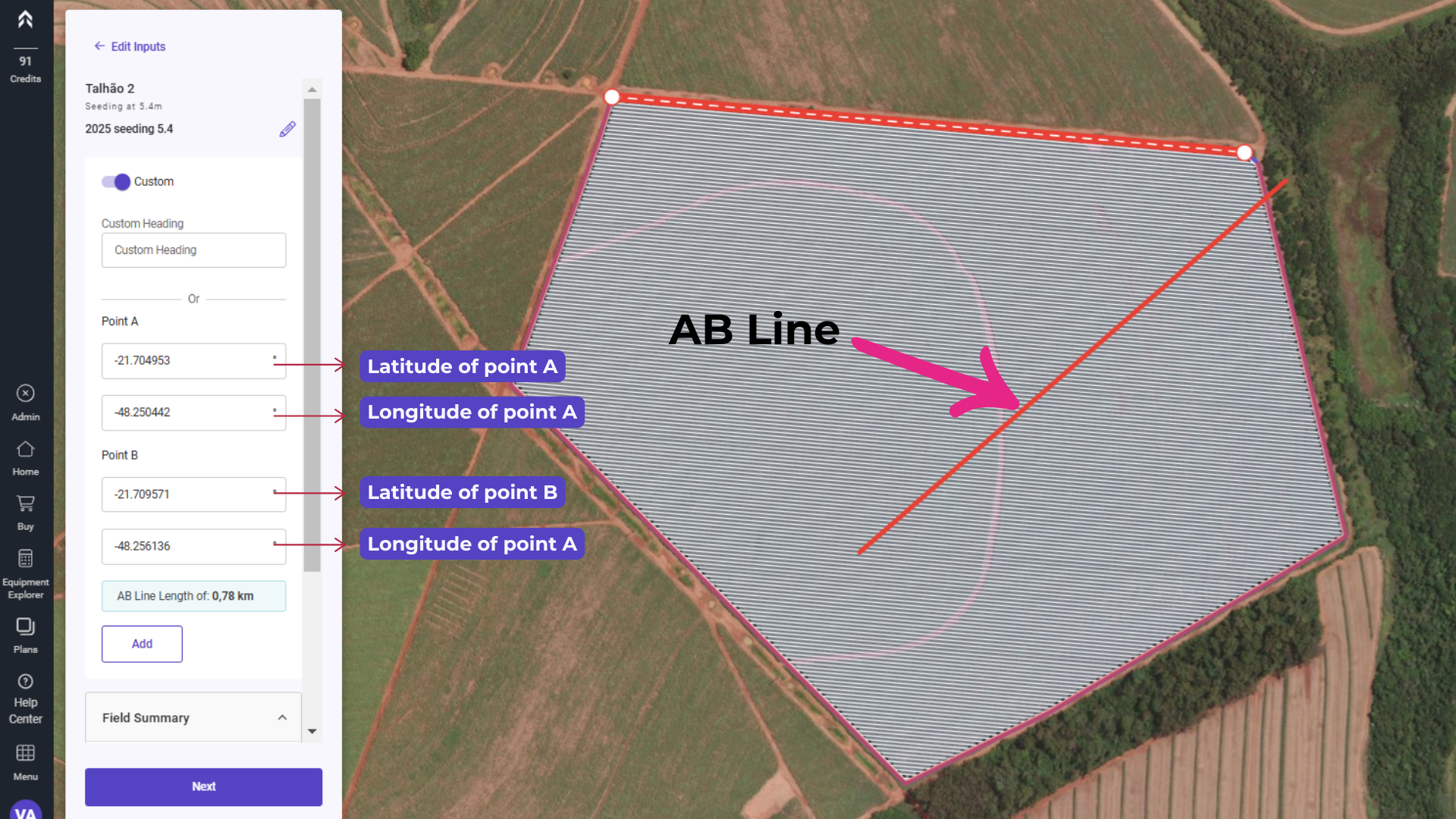
5- Click on "Add"
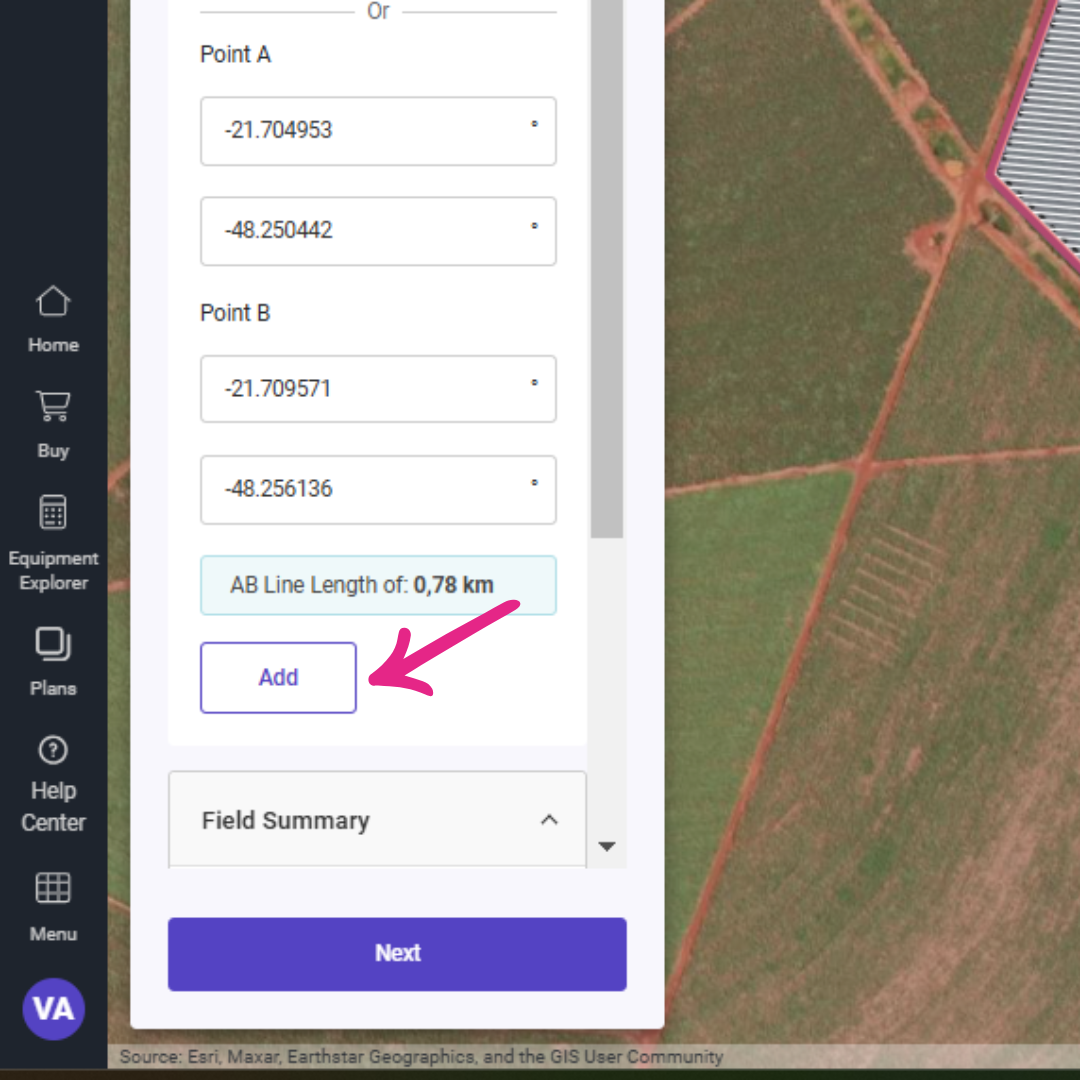
Your AB Line will act as the foundational reference for the Path Plan, ensuring that all subsequent passes are aligned parallel to it. This guarantees consistent and precise guidance throughout the field, optimizing efficiency and reducing overlap or gaps during operations. By using this line as a baseline, you can maintain uniformity in your work, whether it's planting, spraying, or harvesting.
Once the A and B points are added, the system automatically saves the AB Line, making it easily accessible for future use. This line becomes a selectable option within the drop-down menu, allowing quick identification and selection during planning. Additionally, it appears on the map, providing a clear visual reference for alignment and operations. This functionality ensures streamlined workflows by enabling you to effortlessly switch between AB Lines and apply them as needed, whether for guidance, equipment setup, or optimizing field passes.
The AB Line does not need to be confined within the defined boundary of the field. This flexibility allows you to create straight guidance lines that extend beyond the field's limits, which can be particularly useful for aligning equipment or planning operations across multiple fields or adjacent areas. By enabling AB Lines outside the boundary, you can ensure seamless navigation and optimize planning for larger-scale or interconnected field layouts.