How to Compare Path Plans
Please follow the steps below to compare Path Plans. The Compare tool can be used on two saved Plans or while creating a new plan comparing to a saved Plan.
Compare from Plans Page
-
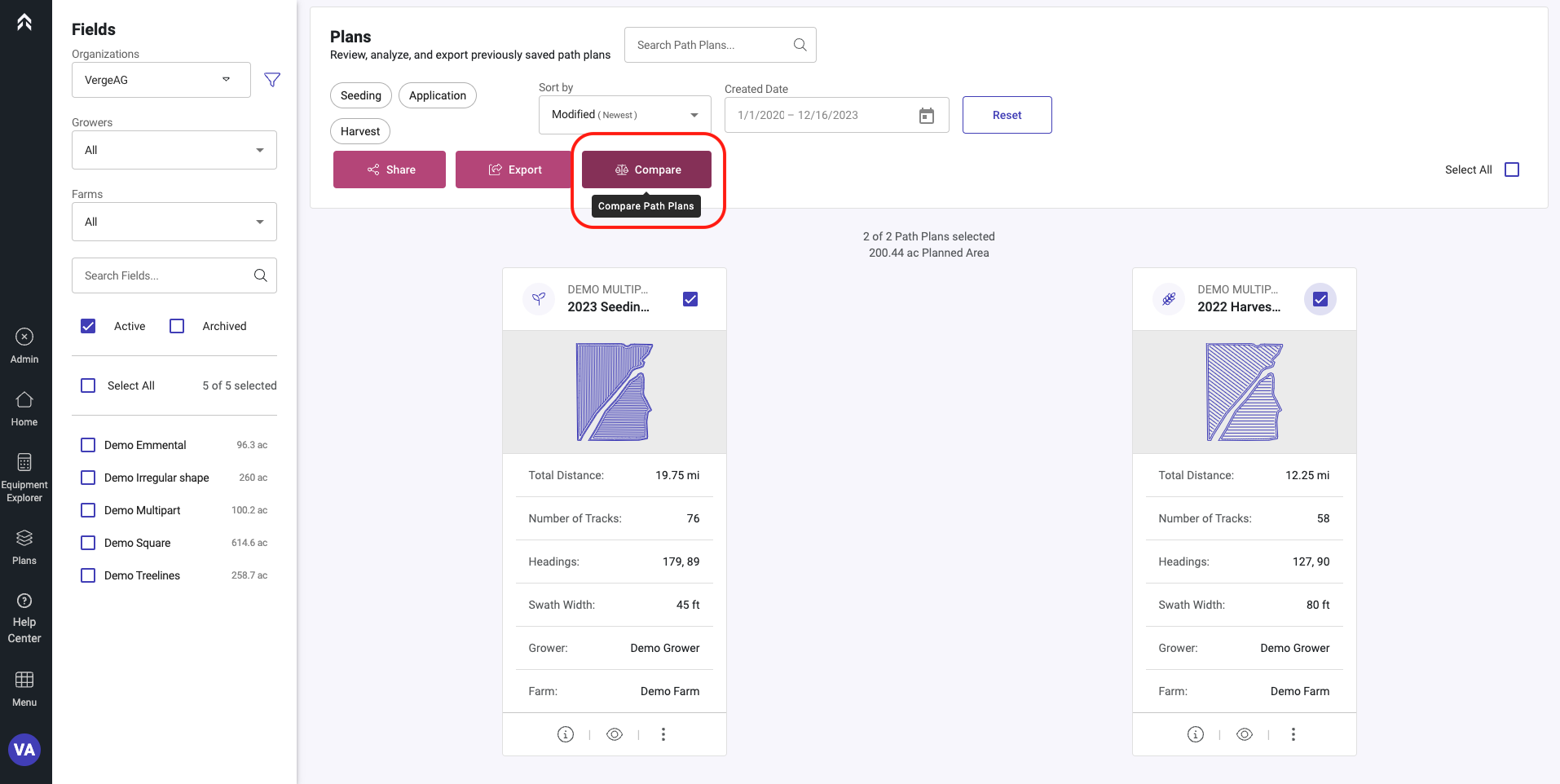
Select two plans that you would like to compare and click “Compare” in the upper right of the screen
-
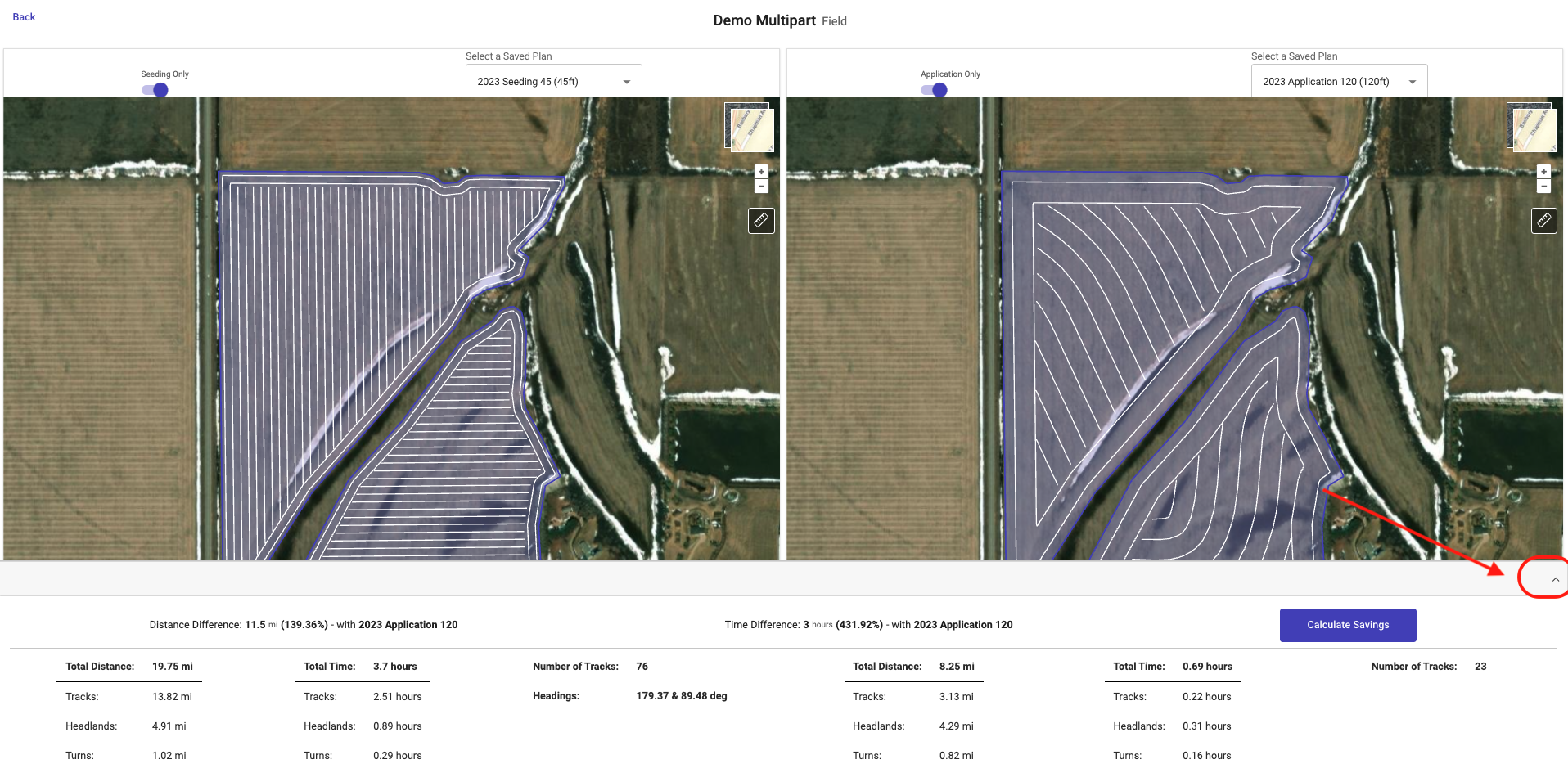
Click on the up arrow in the lower right to open the Details drawer on the bottom of the screen
-
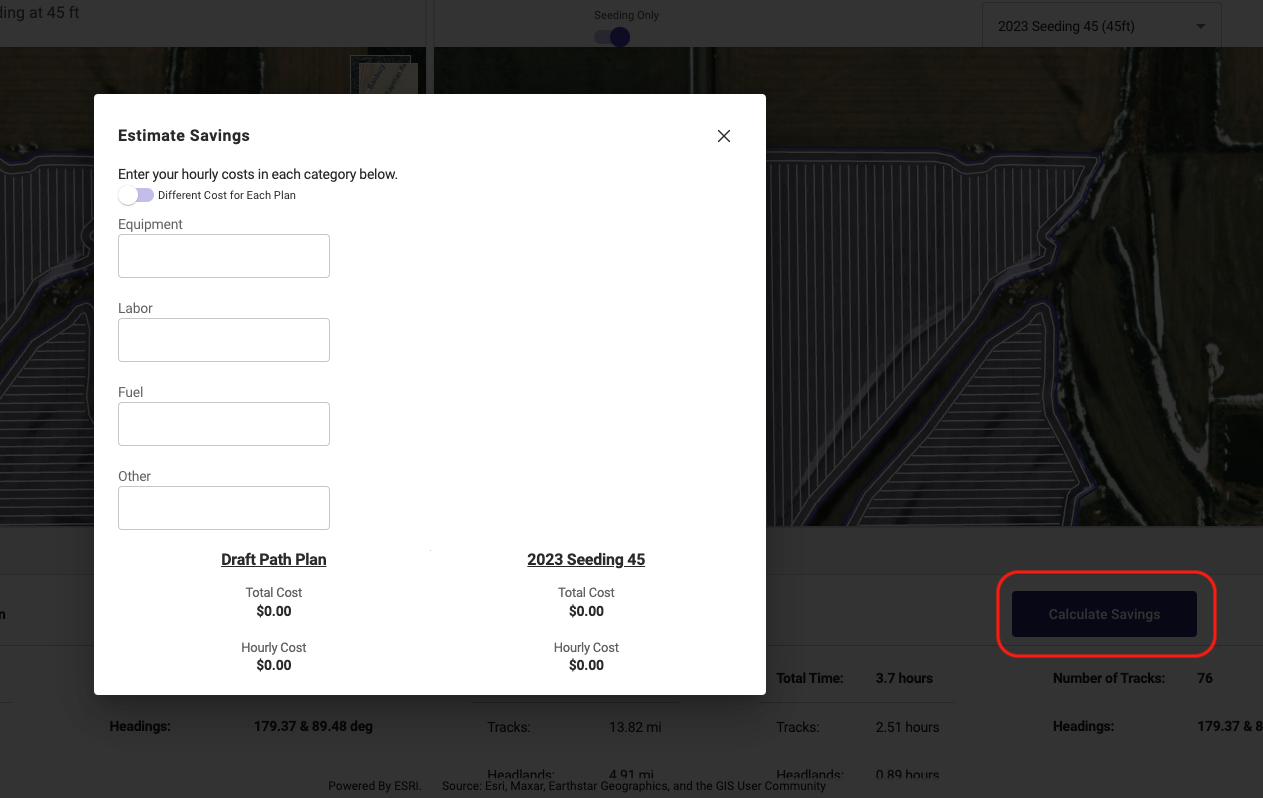
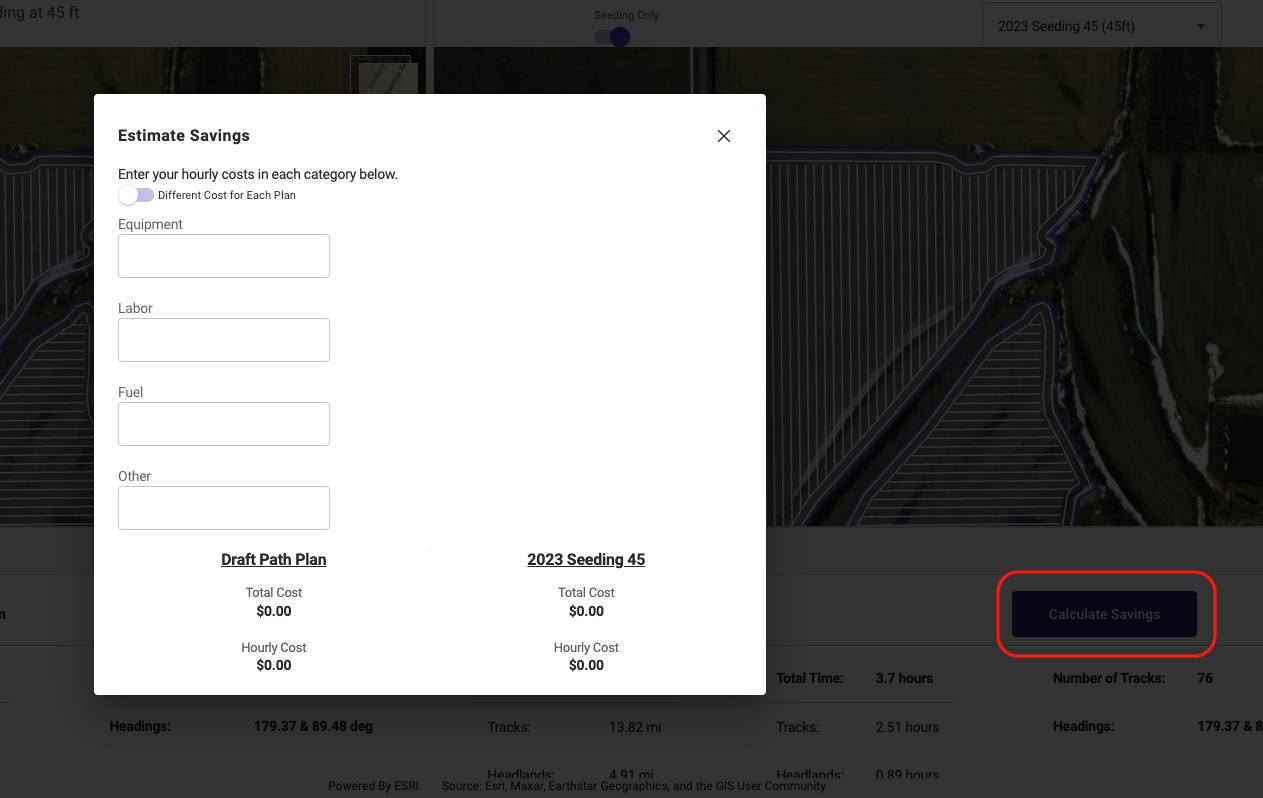
Calculate costs by clicking on the “Calculate Savings” button and entering some costs
Compare Saved Plan to new unsaved “Draft” Plan
-
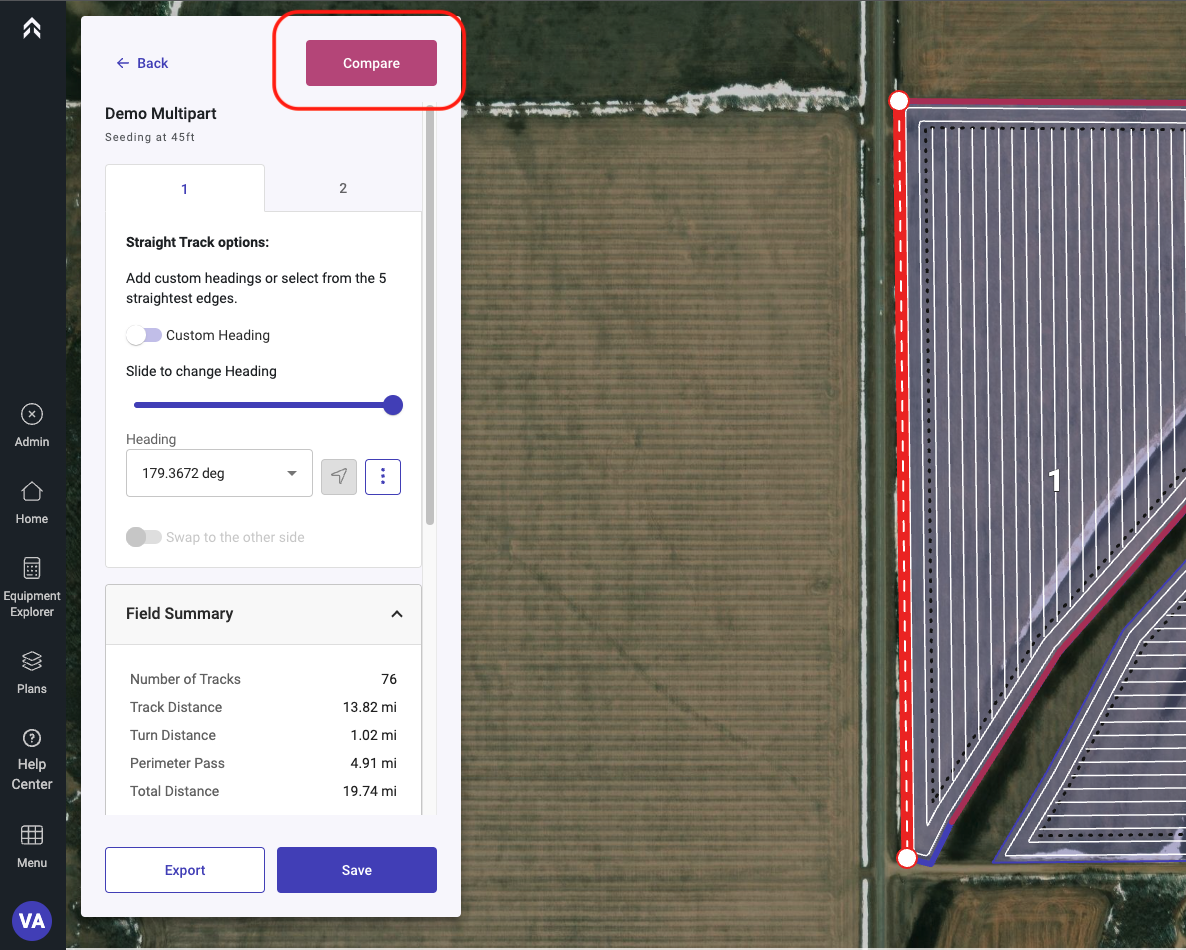
With a new Plan generated select the Compare button in the upper right of the details section
-
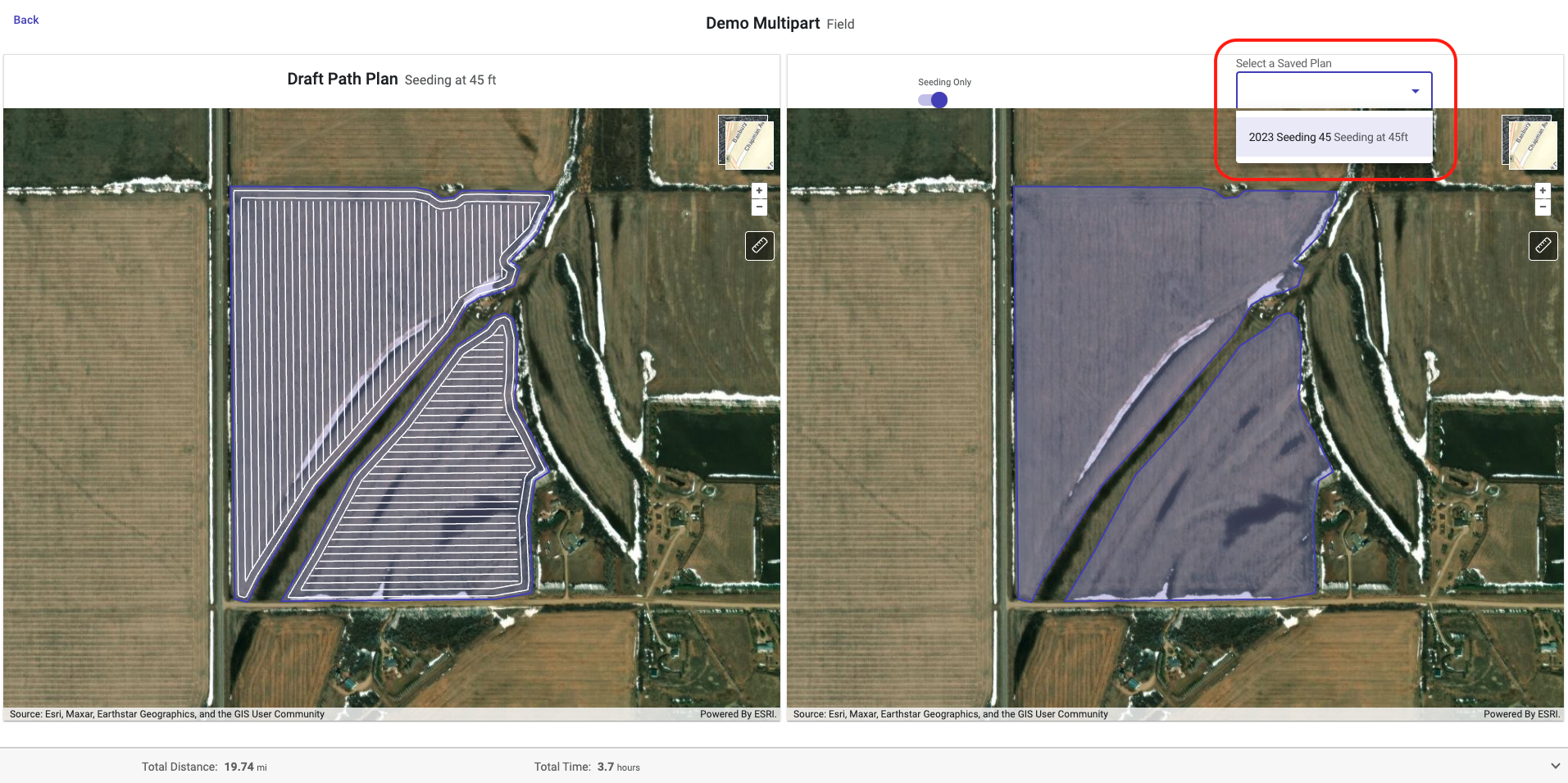
Select the Saved Path Plan in the right panel to compare to.
-
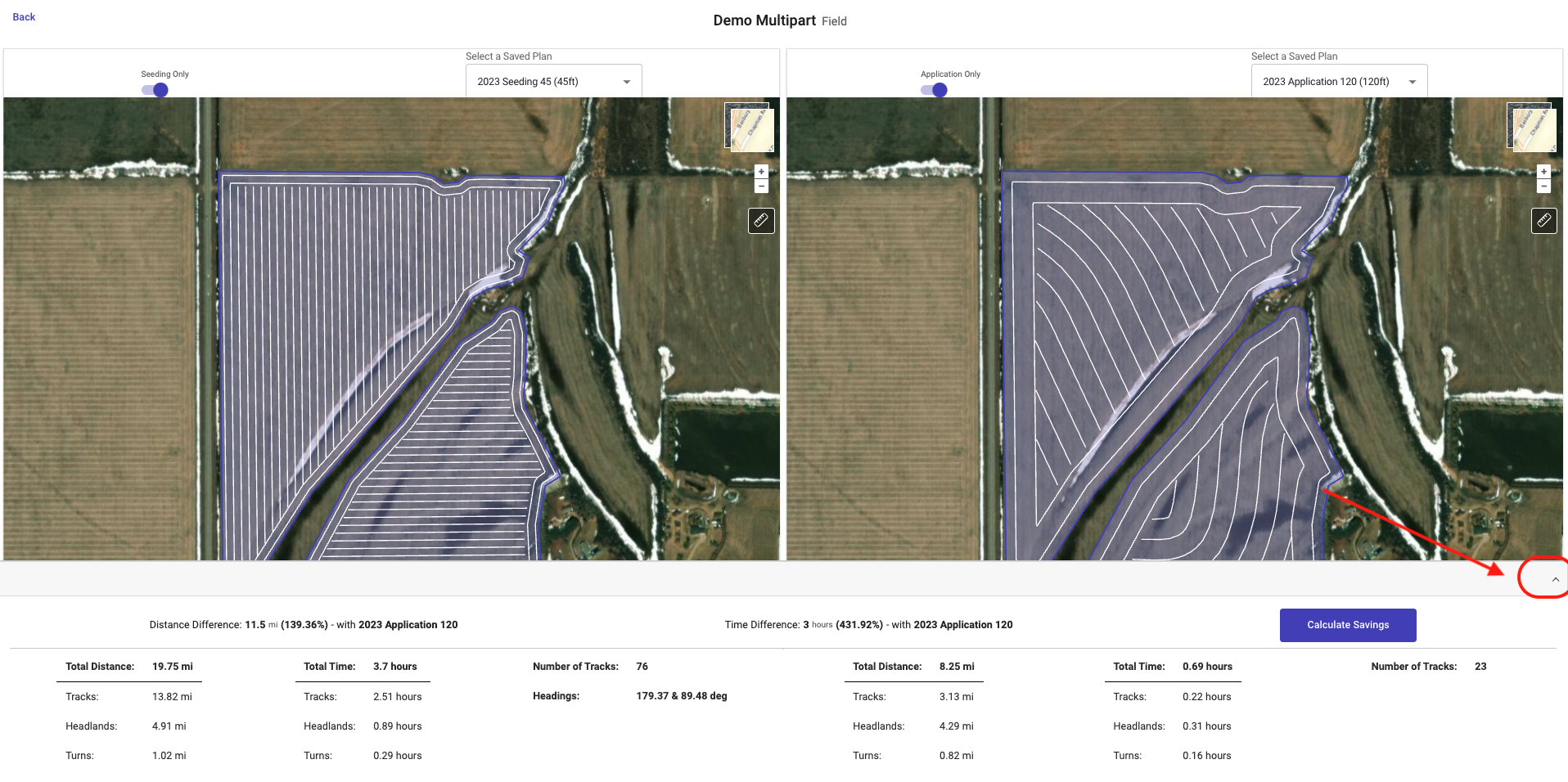
Click on the up arrow in the lower right to open the Details drawer on the bottom of the screen
-
Calculate costs comparisons by clicking on the “Calculate Savings” button and entering some costs